 Material Layers
Getting Started
Download
Available in the Godot Asset Store in editor. See all releases.
How does it work
Material Layers introduces 4 new resources.

LayerStack: Contains MaterialLayer resource and generates final
material.

MaterialLayer: Contains SurfaceMaterial & mask texture or
MaskMaterial.

SurfaceMaterial: Material that's blended using mask texture or
MaskMaterial. Contains a .gdshader template with new layer specific
inputs & outputs. You write your own material, then output them using the
new output tokens.

MaskMaterial: Material used to blend SurfaceMaterials. You write your
own blending logic such as height blending, vertex colors or sample
textures. You control how each material attribute is blended.
Writing SurfaceMaterials
Create a new SurfaceMaterial, you can create it from the file system dock, a material slot or inside a MaterialLayer. SurfaceMaterial functions the same as a ShaderMaterial, the only difference is it contains a .gdshader template for writing Material Layer shaders. You write material shaders in gdshader as usual. But instead of writing to ALBEDO, ROUGHNESS etc. you write to layer-specific outputs such as LAYER_OUT_ALBEDO, LAYER_OUT_ROUGHNESS. See all tokens
#include "res://addons//materialLayers/src/layer_lib.gdshaderinc" // Essential for Material Layering

void fragment() {

	SETUP_LAYER_FRAGMENT; // Sets up Material Layering

	//-------------------------------------

    vec2 uv = getUV(UVSelect, UV, UV2, custom0, custom1, custom2);
    uv *= UVScale;
    uv = uvManip(uv, vec2(UVScale), UVRot, pivot, UVOffset);

	vec4 norm_ao_height = texture(normAOHeight, uv);
    vec3 albedo = texture(albedoGradient, vec2(norm_ao_height.a, 0.5)).rgb;

	float roughness = histRange(1.0 - norm_ao_height.a, roughnessRange, roughnessPos);
    roughness = mix(roughness, 1.0 - roughness, float(invertRoughness));
    roughness = saturate(roughness);

    vec3 normal = deriveZ(norm_ao_height.r, norm_ao_height.g);
	float ao = norm_ao_height.b;
	float height = norm_ao_height.a;

	albedo *= tint;
	albedo = albedo * (albedoBrightness + 1.0);
	albedo = (albedo - 0.5) * max(albedoContrast + 1.0, 0.0) + 0.5;
	albedo = clamp(albedo, 0.0, 1.0);

	normal = normalStrength(normal, normalIntensity);

	ao += aoLevel;
	ao = clamp(ao, 0.0, 1.0);

	//------------ Outputs Layer maps --------------

	LAYER_OUT_ALBEDO = albedo;
	LAYER_OUT_ROUGHNESS = roughness;
	LAYER_OUT_NORMAL_MAP = normal;
	LAYER_OUT_AO = ao;
	LAYER_OUT_HEIGHT = height;

	//------------ Default Material Outputs --------------

	ALBEDO = albedo;
	ROUGHNESS = roughness;
	NORMAL_MAP = normal;
	AO = ao;

}
Keep in mind, you can still write to the default ALBEDO, ROUGHNESS and use it as a standalone material. It's also needed to generate preview thumbnails.
Writing MaskMaterials
MaskMaterial lets you blend materials using your own logic in .gdshader. You can control how each material attribute is blended, use height blending, vertex colors, position and normal based etc. You just have to use the RESULT_ tokens in order to output the blend results. You are free to do whatever you want, because it's essentially gdshader with some new tokens.
#include "res://addons//materialLayers/src/layer_lib.gdshaderinc" // Essential for Material Layering

void fragment() {

    SETUP_LAYER_FRAGMENT; // Sets up Material Layering

    //-------------------------------------

    float vertex_color = getChannel(COLOR, vertexColor);

    float mask = heightBlend(
        mix(1.0 - LAYER_BELOW_HEIGHT,
        LAYER_BELOW_HEIGHT, float(invertHeight)),
        LAYER_CURRENT_HEIGHT, heightOffset,
        heightContrast, vertex_color);

    //------------ Blend the Layer Below and the Current Layer --------------

    RESULT_ALBEDO = mix(LAYER_BELOW_ALBEDO, LAYER_CURRENT_ALBEDO, mask);
    RESULT_ROUGHNESS = mix(LAYER_BELOW_ROUGHNESS, LAYER_CURRENT_ROUGHNESS, mask);
    RESULT_NORMAL_MAP = normalCombine(LAYER_BELOW_NORMAL_MAP, LAYER_CURRENT_NORMAL_MAP, mask);
    RESULT_AO = LAYER_BELOW_AO * mix(1.0, LAYER_CURRENT_AO, mask);
    RESULT_HEIGHT = LAYER_BELOW_HEIGHT;
    RESULT_METALLIC = mix(LAYER_BELOW_METALLIC, LAYER_CURRENT_METALLIC, mask);

}
Both SurfaceMaterial and MaskMaterial must have the #include at the top, and SETUP_LAYER_FRAGMENT at the top of fragment shader and SETUP_LAYER_VERTEX at the top of vertex shader.
Blending Two SurfaceMaterials
Create a new LayerStack from the material slot.
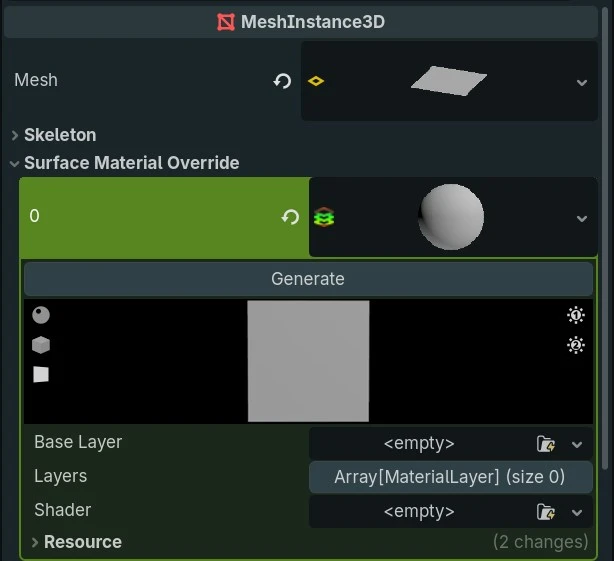
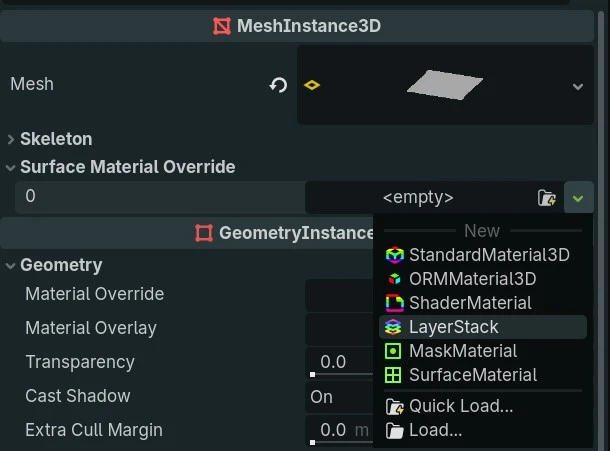
Assign a SurfaceMaterial to the Base Layer slot.
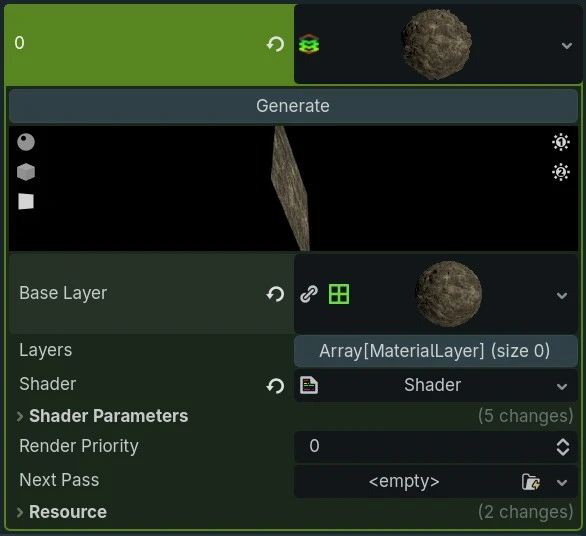
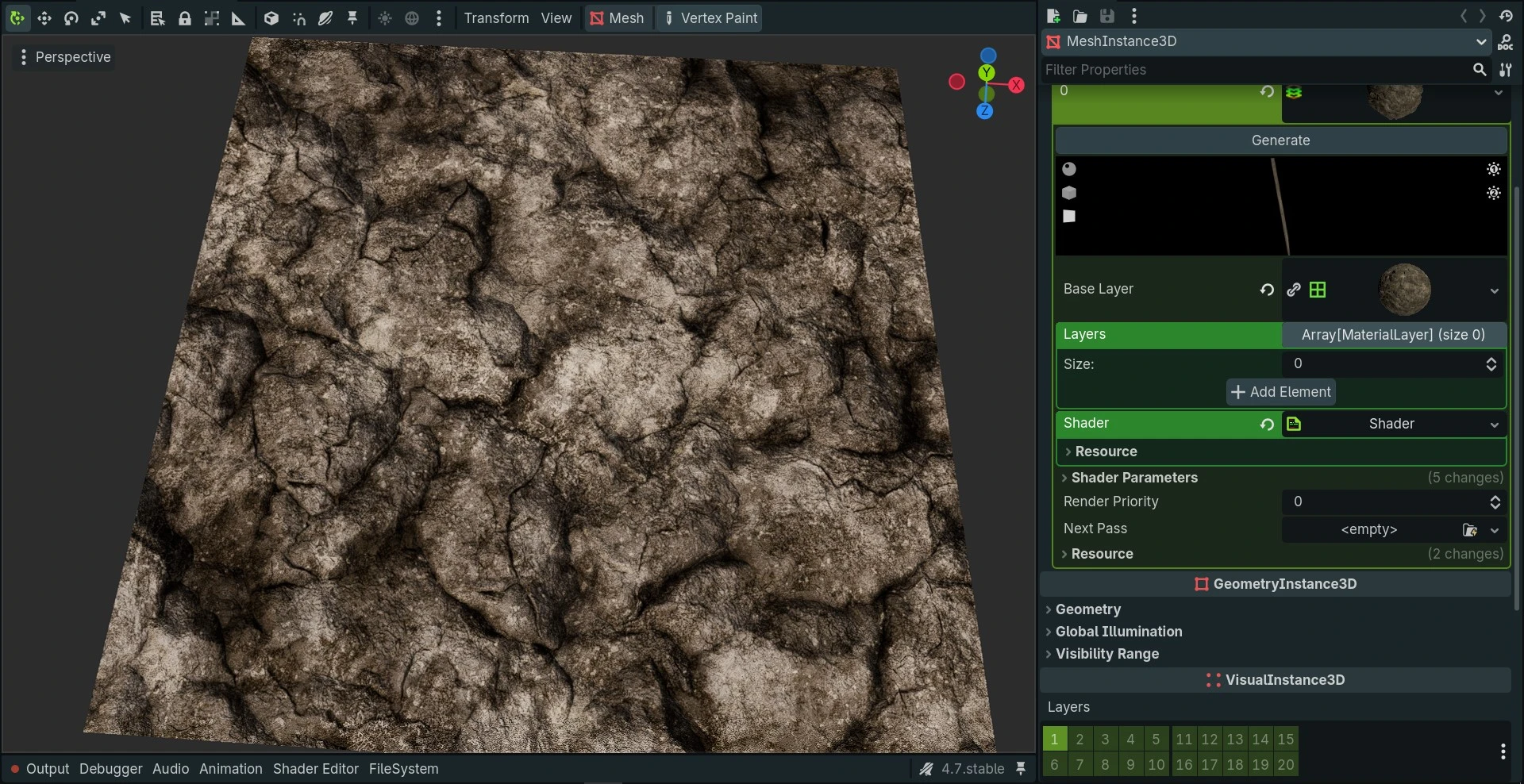
Then create a new Material Layer and assign a different SurfaceMaterial to the Surface Material slot.
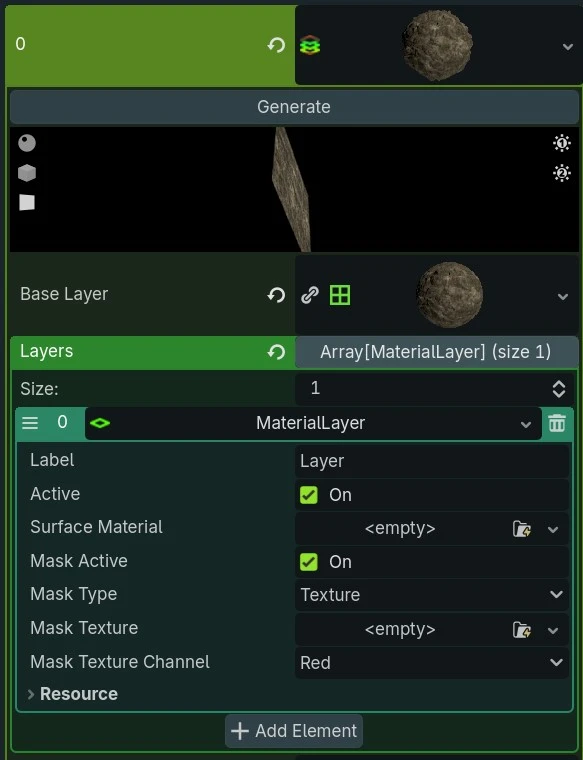
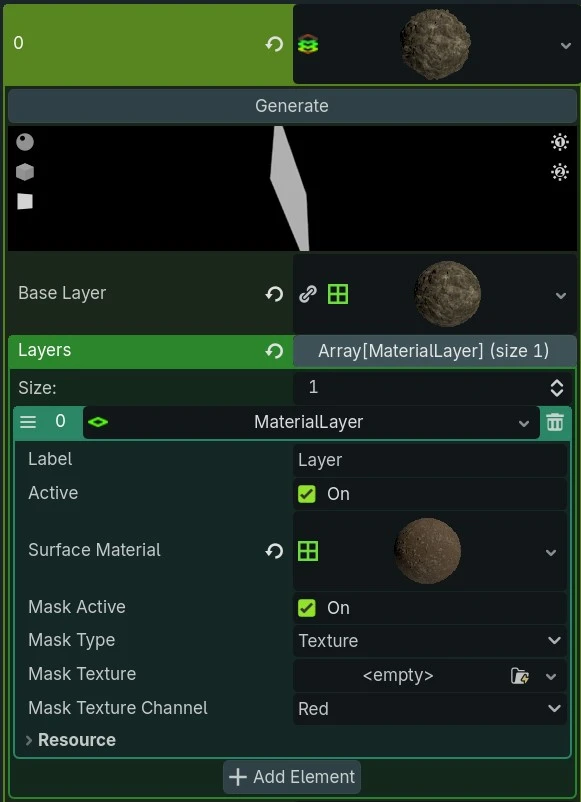
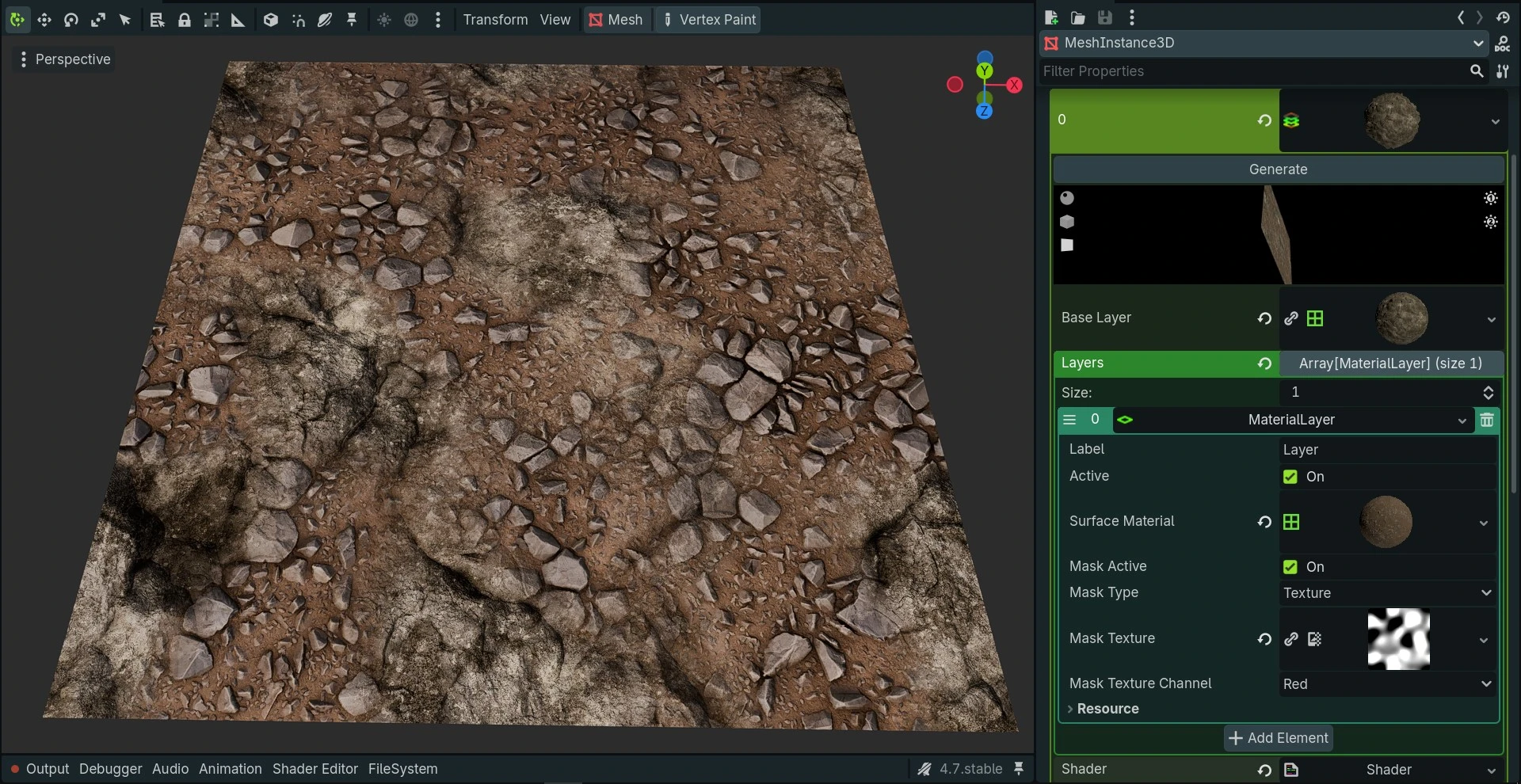
You can either use a mask texture...
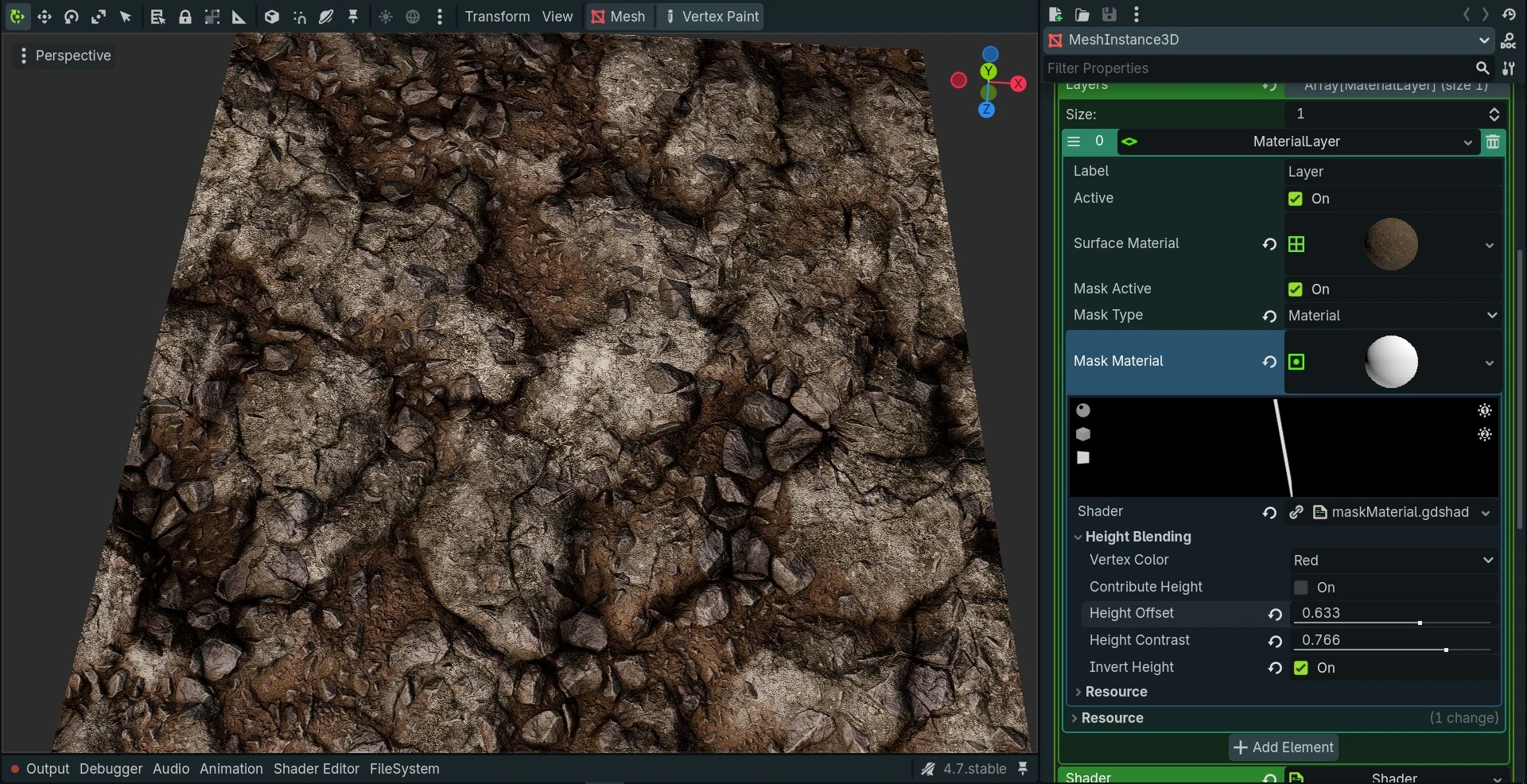
or a MaskMaterial
New Tokens
This plugin introduces some new Macros and Tokens used for Material Layering.
SurfaceMaterial Tokens
Surface Map Tokens
| Outputs the layer's Surface maps | Gets the layer below's Surface maps |
|---|---|
LAYER_OUT_ALBEDO | LAYER_BELOW_ALBEDO |
LAYER_OUT_NORMAL_MAP | LAYER_BELOW_NORMAL_MAP |
LAYER_OUT_ROUGHNESS | LAYER_BELOW_ROUGHNESS |
LAYER_OUT_HEIGHT | LAYER_BELOW_HEIGHT |
LAYER_OUT_AO | LAYER_BELOW_AO |
LAYER_OUT_METALLIC | LAYER_BELOW_METALLIC |
LAYER_OUT_EMISSION | LAYER_BELOW_EMISSION |
Mesh Map Tokens
| Outputs the layer's Mesh maps | Gets the layer below's Mesh maps |
|---|---|
LAYER_OUT_BENT_NORMAL | LAYER_BELOW_BENT_NORMAL |
LAYER_OUT_MESH_NORMAL_MAP | LAYER_BELOW_MESH_NORMAL_MAP |
LAYER_OUT_MESH_AO | LAYER_BELOW_MESH_AO |
LAYER_OUT_MESH_HEIGHT | LAYER_BELOW_MESH_HEIGHT |
LAYER_OUT_MESH_CURVATURE | LAYER_BELOW_MESH_CURVATURE |
LAYER_OUT_MESH_THICKNESS | LAYER_BELOW_MESH_THICKNESS |
MaskMaterial Tokens
Surface Map Tokens
| Gets the current layer's maps | Gets the layer below's maps | Outputs the blended result |
|---|---|---|
LAYER_CURRENT_ALBEDO | LAYER_BELOW_ALBEDO | RESULT_ALBEDO |
LAYER_CURRENT_NORMAL_MAP | LAYER_BELOW_NORMAL_MAP | RESULT_NORMAL_MAP |
LAYER_CURRENT_ROUGHNESS | LAYER_BELOW_ROUGHNESS | RESULT_ROUGHNESS |
LAYER_CURRENT_HEIGHT | LAYER_BELOW_HEIGHT | RESULT_HEIGHT |
LAYER_CURRENT_AO | LAYER_BELOW_AO | RESULT_AO |
LAYER_CURRENT_METALLIC | LAYER_BELOW_METALLIC | RESULT_METALLIC |
LAYER_CURRENT_EMISSION | LAYER_BELOW_EMISSION | RESULT_EMISSION |
Texture and Mask Tokens
You can assign textures to the TEX tokens and masks to the MASK tokens. These are meant to be used for passing arbitrary data such as noise and masks.
| Output textures | Get below layer's texture | Output masks | Get below layer's masks |
|---|---|---|---|
LAYER_OUT_TEX_0 | LAYER_BELOW_TEX_0 | LAYER_OUT_MASK_0 | LAYER_BELOW_MASK_0 |
LAYER_OUT_TEX_1 | LAYER_BELOW_TEX_1 | LAYER_OUT_MASK_1 | LAYER_BELOW_MASK_1 |
LAYER_OUT_TEX_2 | LAYER_BELOW_TEX_2 | LAYER_OUT_MASK_2 | LAYER_BELOW_MASK_2 |
LAYER_OUT_TEX_3 | LAYER_BELOW_TEX_3 | LAYER_OUT_MASK_3 | LAYER_BELOW_MASK_3 |
LAYER_OUT_TEX_4 | LAYER_BELOW_TEX_4 | LAYER_OUT_MASK_4 | LAYER_BELOW_MASK_4 |
LAYER_OUT_TEX_5 | LAYER_BELOW_TEX_5 | LAYER_OUT_MASK_5 | LAYER_BELOW_MASK_5 |
LAYER_OUT_TEX_6 | LAYER_BELOW_TEX_6 | LAYER_OUT_MASK_6 | LAYER_BELOW_MASK_6 |
LAYER_OUT_TEX_7 | LAYER_BELOW_TEX_7 | LAYER_OUT_MASK_7 | LAYER_BELOW_MASK_7 |